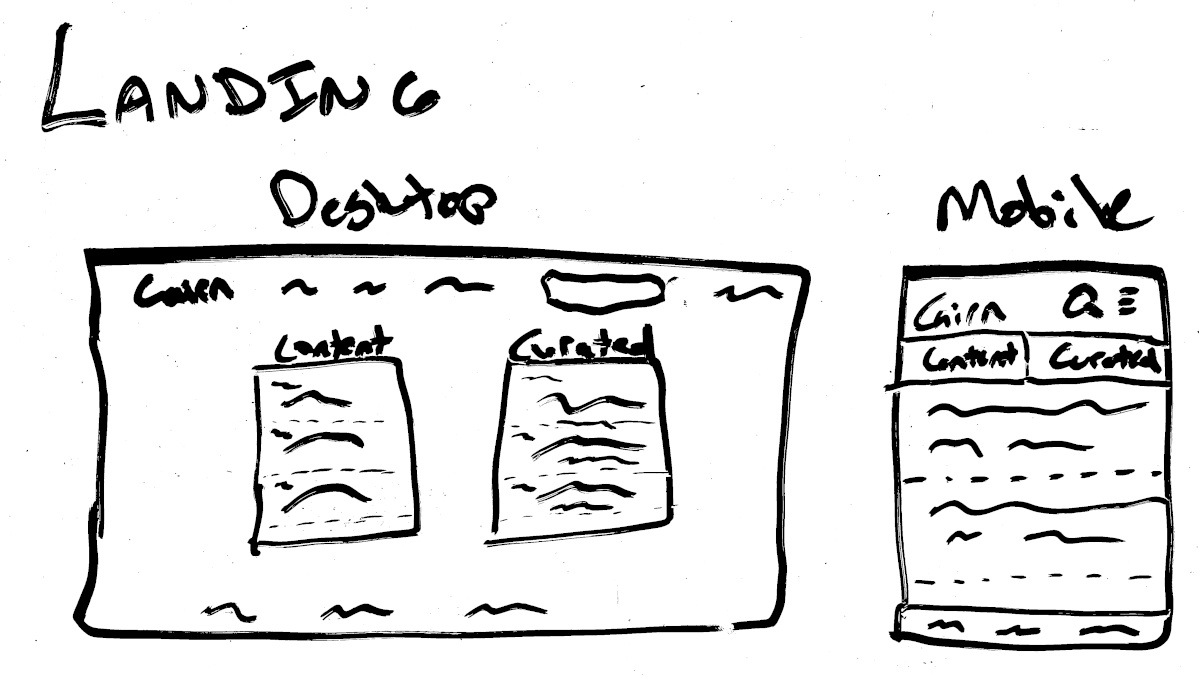
 Whiteboard mockup of the landing page
on-mento— layout: post title: How to assess a software project description: An walk-through of how to breakdown a project to understand the size and scope. image: /assets/images/2024/06/beef_roland_couch_sun.jpg categories: career tags:
Every project begins the same way, you’re presented with an idea, concept, or feature to implement. You may have some constraints or even background information. And then you have a plethora of unknowns. To make good decisions about the project, you need to reduce those unknowns as quickly as possible.
I’m going to present you with some actions to take to assess a project and make better-informed decisions on planning and design. This will follow the format of:
When you begin this step, you may only have the stakeholder needs. However, there are more needs than just theirs, and it’s your job to identify them. Consider the project and who else it may impact. Consider what they may want or expect the project to do.
It’s important to realize that you have your own biases and experiences that color your perspective on the problem. You can try to break out of that by role-playing as a different person. You could also ask others with varying experiences and knowledge what their opinion is of the project and what they’d expect it to do.
Asking others for their opinions is a great way to “think outside the box”. This is because they were never in the box to begin with. You’re literally getting thoughts that are completely unattached to the project. This can be invaluable. It can also be a bit draining if they end up having the same thought process as you.
The idea for Django Cairn was to be a hub of information for Django developers. The needs to me were clear. Django developers post their content across the web in various formats, but it was a challenge for people to find that information. This is partly because consumers don’t always look at the places where information is published. By indexing the knowledge and marketing that catalog, Django Cairn could guide folks to what they want to know.
Since I was the stakeholder, I felt I had a pretty good grasp on the needs of the project. However, being someone who engages fully on the internet, I shared my idea to get the feedback of the community. There were two ideas that came back that changed the needs of the project.
Both of these ideas significantly changed the project from the idea of a basic index of Django knowledge. It now should annotate articles with the version of Django, as well as provide curation of articles.
Eric’s opinion makes sense when you look at his background during this time. He is the author of a book that’s often recommended to beginners. He is also working on django-simple-deploy, a project that takes an opinionated approach to helping the developer get their project on the web. Sound familiar?
Jeff’s opinion also makes sense when you consider that he’s been working as a contractor for years. Rather than working on a single project for years at a time, he’s been working on various projects with different versions. I’m willing to bet he has been bitten by reading a blog post about a feature that didn’t exist in the version of Django he was working on at the time.
By asking others for their opinions, I was able to consider the problem from multiple perspectives, allowing me to identify other needs for the project.
Warning: This is probably the most boring step in assessing a project, but embrace the grind. This can be an incredibly illuminating task when looking at a new project. 100% of project ideas hand-wave the details1. By slowing down and methodically working through the project, you force yourself to consider those details.
What do I mean by “step of the project”? Yeah, sorry about that. It was a bit generic. If the project were a website, it would mean working through each page of the site and the user flows between them. It would also mean working through the various processes that occur in the background, such as notifications. For a Command Line Interface (CLI) app, it would involve considering what every command does from start to finish.
Be warned, this step is so tedious, it’s easy to skip.
If our project idea is Django Cairn, and we’re pitching its benefits as a repository of Django knowledge and a curated collection of things to learn, then we have the following high-level requirements:
The next step is to work through each of those requirements and identify what is needed to implement them.
This step implies that we have some logic that goes through a list of feeds (we missed this above) and makes a request to the feed source to capture any new content. It then should parse that content (do we need to be worried about a content type?) and store that (we’ll need at least one model). I’ve identified some new considerations in parentheses. The other things that are missing are:
You can see that there are a number of questions that need to be answered. Sometimes you’ll immediately have an answer (let’s fetch data once per day), and sometimes you’ll need to define the rest of the project before deciding (should we deal with multiple content types now or later).
If you’re curious how I approached this all the way down, you can read my post Plotting the trail for Django Cairn.
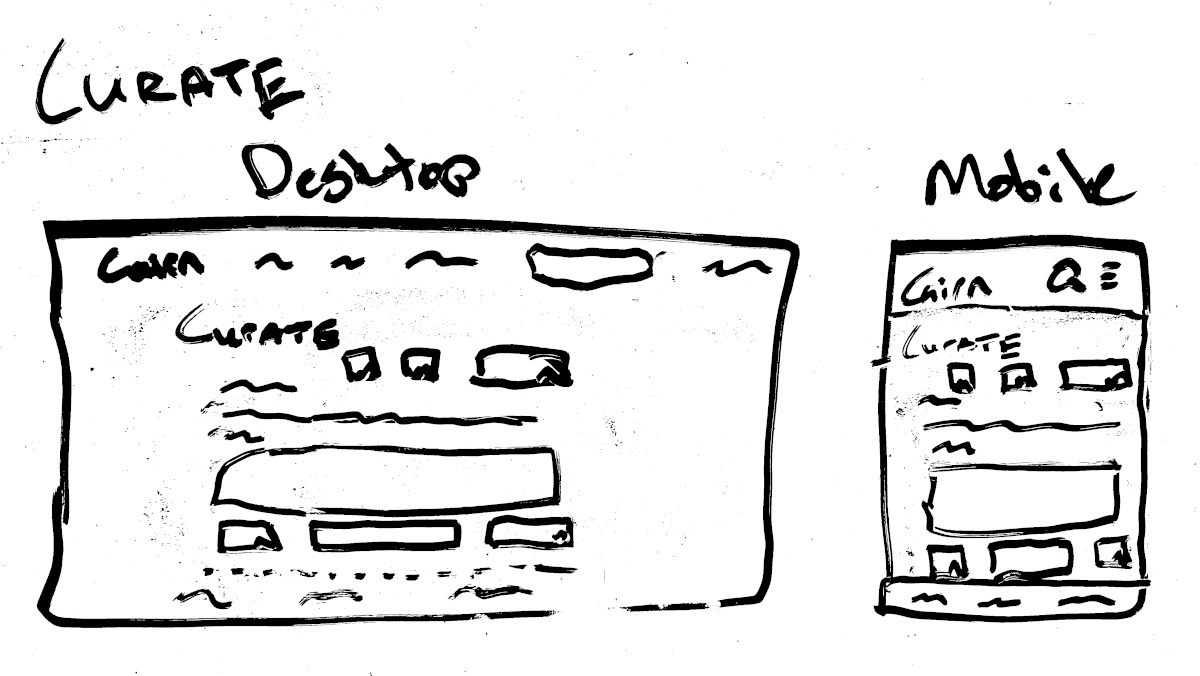
This requirement is a bit more fun. It helps to draw things out on a whiteboard or using some other crude drawing utility (don’t use a pen; it’s too fine).
Before we get to that, let’s consider what we would all need to display:
The purpose is to present the most relevant information to the user without needing any input from them. At the same time, the page should allow the user to input their opinions as easily as possible via search, submit new content, etc.
Whiteboard mockup of the landing page
This is very similar to the previous feature. The difference here is that we need to provide some additional filtering options that are unique to the curated content. For example, the curated content has different facets such as “reader level”.
Since the application will be implemented in the most simple fashion first, there are no background processes or additional services related to this page.
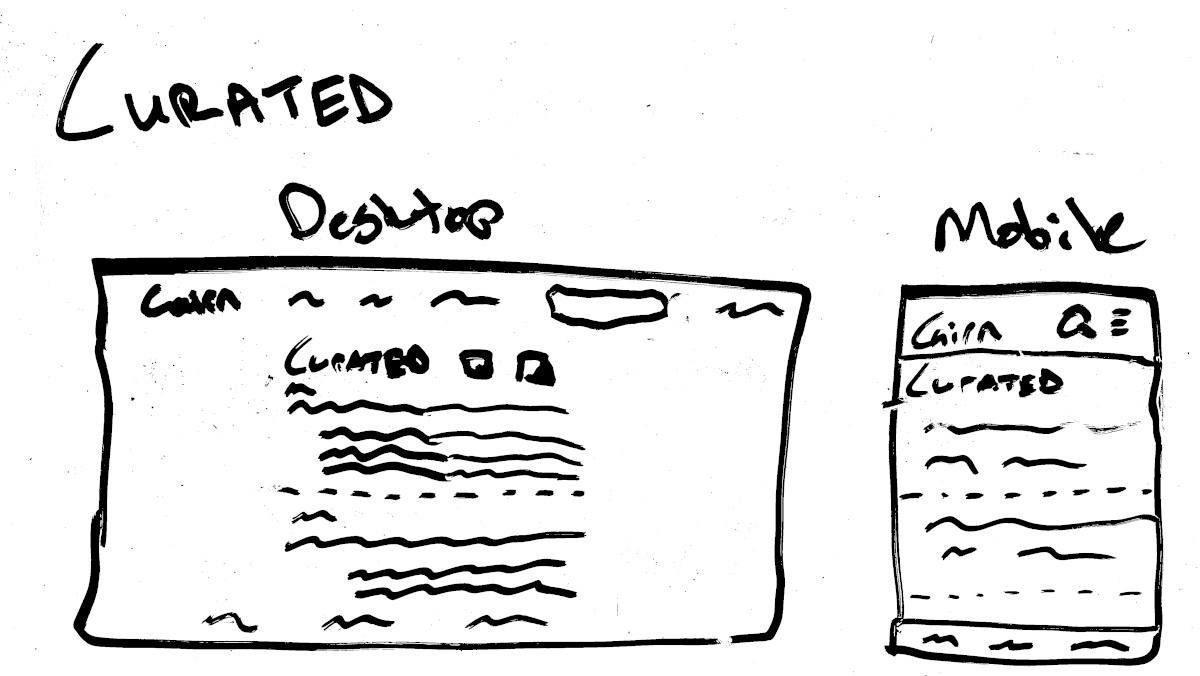 Whiteboard mockup of the curated content page
When searching, we want to allow the user to quickly analyze the results and continue to refine their search to find what they’re looking for. Ideally, the page would highlight what facet of the search was matched, but that’s a stretch goal for the moment.
Since this is search, there is the possibility of some complexity. Approaching this with simplicity in mind, using PostgreSQL’s full-text search seems like a reasonable choice. This avoids an extra service and provides decent search capabilities.
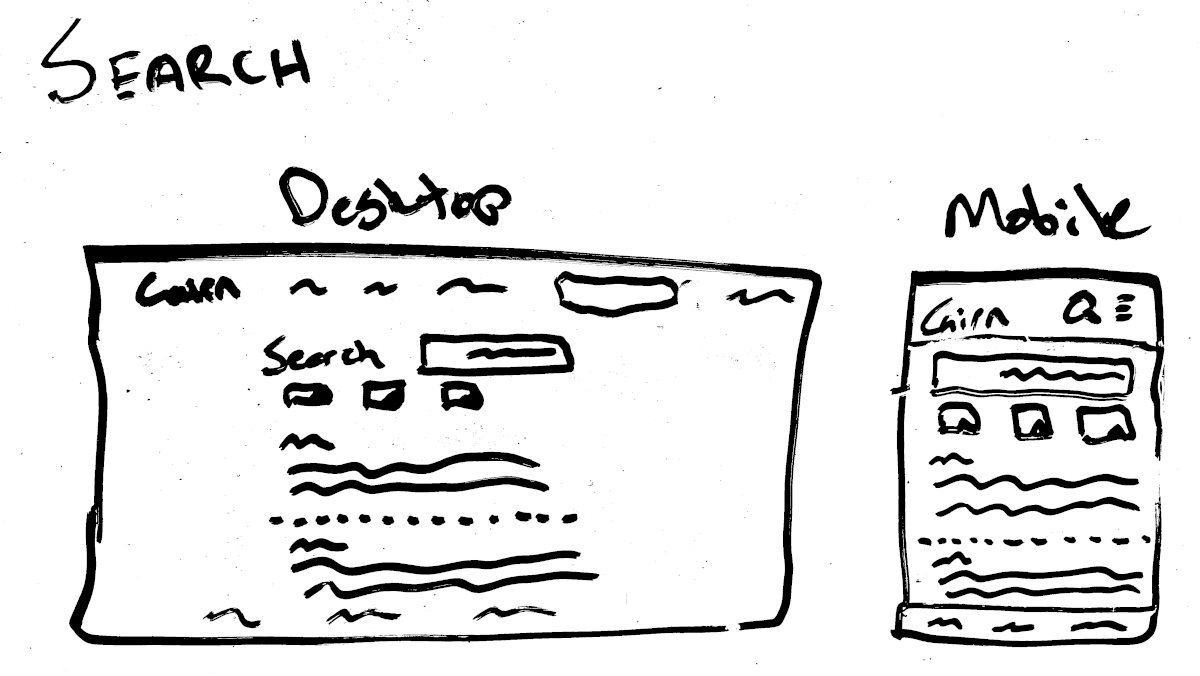 Whiteboard mockup of the search page
The content and source forms are being combined because they are so similar. From the user’s perspective, they want to include their own content or content they feel is relevant to the site. This should be as simple as possible, but still include enough information to determine whether the submission is legitimate or not.
When new content is submitted, a notification will need to be sent. The simplest option is to make it an email. Potentially, in the future, it could be a digest, but let’s keep it simple.
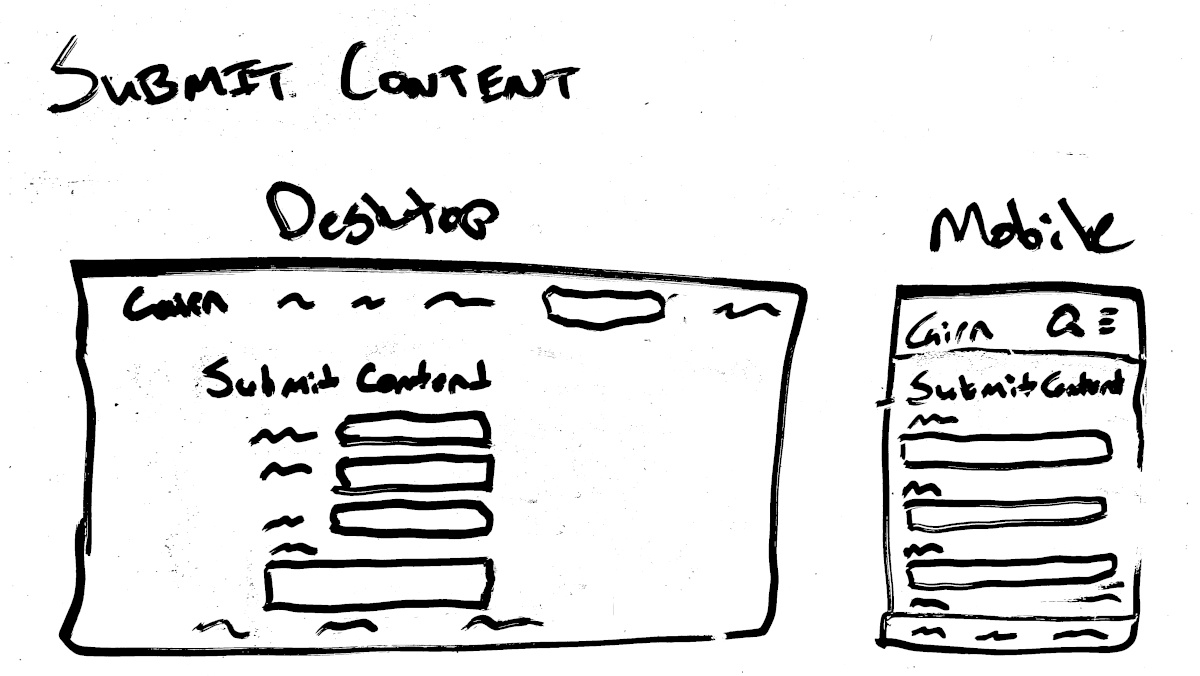 Whiteboard mockup of the submit source/content page
This page should present content to a curator that needs a decision. A curator doesn’t have to review everything, but they do need to at least mark it as “dismissed”. This would be reserved for an article they don’t feel is appropriate to be featured.
The initial load of the page should present the most important actions to the user. The unreviewed, undismissed content is shown from oldest to newest. It should make it easy to leave a review and provide options to go edit other reviews.
This feature doesn’t appear to need any background or external services. It’s purely a CRUD operation.
 Whiteboard mockup of create curation review page
The next step is to identify what data needs to exist throughout the application. The previous step identified what actions a user may take. This step is about identifying what information the application must present to the user.
If you’ve completed the previous step, then this step isn’t so bad. You’ll already have all the mockups, and you’ll have the actions the user can take on each page. Deciding what information a user may have to complete those actions is much easier with that information on hand.
Fetch, parse and store various content
This isn’t as much of a page as a background service. However, there are some things that we have to say about it. To successfully operate the application, we will want to know the following:
The purposes of Django Cairn are:
The first is achieved by presenting the content to the users. The information that would help a user know if they want to click a link is an excerpt from the post, the post’s timestamp, who posted it and why it might be relevant to them.
The second is achieved by making it easy for content creators to submit their information. This isn’t something that can be accomplished by showing data.
Whiteboard mockup of the landing page
This is the same as above, but with some extra fields:
Whiteboard mockup of the curated content page
When searching, the data that should be presented to the user is the same as Display Content, but also what fields matched their search.
Whiteboard mockup of the search page
The forms for submitting a piece of content and a source of content are similar. The pieces of data that would be needed are:
Whiteboard mockup of the submit source/content page
Whiteboard mockup of create curation review page
To recap, the process I follow is:
There’s a lot to analyzing a project, even when the project seems small. I hope that this post has helped you learn something new. If it has, I’d love to hear about it! You can find me on the Fediverse, Django Discord server or reach me via email
My study involved a sample size of 1, me. ↩